الصفحة الرئيسيةSlim ethernet cable
السعر (جنيه)
-
نسبة الخصم
الماركة
Slim ethernet cable
(إجمالى المنتجات 20)


تم نفاذ المخزون
Ugreen كابل إيثرنت يو كات 6 إيه فائق النحافة، نحاس نقي، قطر 2.8 مم، طول 3 متر، سرعة عالية لنقل البيانات، لراوتر والألعاب، أسود
166.00 جنيه


تم نفاذ المخزون
Ugreen كابل شبكة جيجابت قصير فائق السرعة 1000 ميجابت في الثانية | سلك لان RJ45 رفيع لتوصيل الراوتر بالمودم، السويتش، البلايستيشن، والكمبيوتر | أسود
99.00 جنيه

Premium سلك توصيل ممتاز - 3 أمتار - CAT6 - 186110305
5 (1)
165.00 جنيه
250.00 جنيه
-34%
كمية محدودة


Ugreen كابل شبكة محلية من الفئة السادسة U-UTP بطول متر واحد (أسود) 20159
113.00 جنيه
 عرض بلاك فرايداي
كيبل ايثرنت (كابل شبكة أو شبكة محلية) كات 6 بطول 1 متر
52.20 جنيه
58.00 جنيه
-10%

كابلات إيثرنت من الفئة 6 - 10 متر
3 (2)
140.00 جنيه
200.00 جنيه
-30%
كمية محدودة


Rj45 Cat6 Utp Ethernet Lan ADSL Patch Cable (10m)
115.00 جنيه
تبدأ العروض من


تم نفاذ المخزون
كيبل كات 6 يو تي بي، 100 متر، شبكة عالية السرعة، كيبل ايثرنت
1,000.00 جنيه


تم نفاذ المخزون
Ugreen كابل ايثرنت Cat6 نحاس نقي 5 متر اسود
310.00 جنيه


WEDGY TRADE كابل شبكة CAT5e بطول 30 متر - أزرق
222.00 جنيه
299.00 جنيه
-26%


تم نفاذ المخزون
Ugreen كابل تمديد ايثرنت Cat6 RJ45 ذكر الى انثى 2 متر 11281
175.00 جنيه


كيبل كات 6 يو تي بي، كيبل LAN عالي السرعة لأجهزة الكمبيوتر والراوتر والمفاتيح والشبكات المنزلية، طول 30 متر
5 (2)
260.00 جنيه


WEDGY TRADE كابل شبكة CAT5e بطول 10 متر - أزرق
111.00 جنيه
189.00 جنيه
-41%

Ethernet Cables
5 (2)
من 120.00 جنيه
من 150.00 جنيه
-32%
خيارات أخرى متاحة


WEDGY TRADE كابل شبكة CAT5e بطول 5 متر - أزرق
5 (1)
88.00 جنيه
119.00 جنيه
-26%


WEDGY TRADE كابل شبكة CAT5e بطول 3 متر - أزرق
77.00 جنيه
99.00 جنيه
-22%
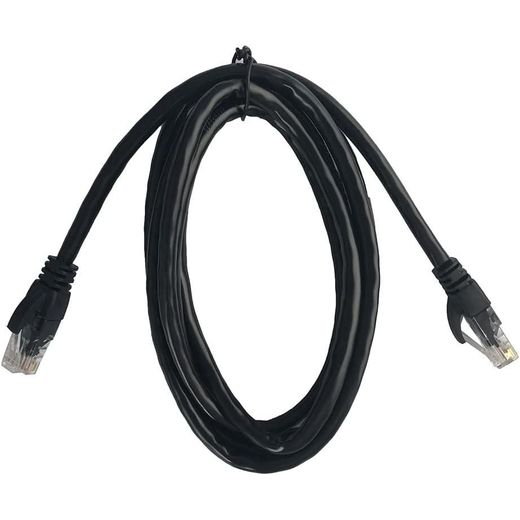


Blitz Cat 6 UTP Network Cables (1.8m)
190.00 جنيه
تبدأ العروض من
كمية محدودة


Ugreen كابل شبكة محلية من الفئة 6 U/UTP مع موصل مطلي بالذهب، 8 أزواج ملتوية ونقل بيانات يصل إلى 1000 ميجابت في الثانية - أسود 2متر - (20160)
140.00 جنيه
كمية محدودة

كابل توصيل ايثرنت ايه دي اس ال بطول 5 متر، لروتر
95.00 جنيه

كابل شبكة ايثرنت كات 6 - 10 متر
165.00 جنيه
كمية محدودة
Frequently Asked Questions about Slim ethernet cable
How do I choose the right slim ethernet cable for my home or office setup?
Start with the network speed you need and the distance between devices. For close connections, a flat CAT6 cable like the 0.5m black option reduces bulk and fits under desks or along walls. If you need higher performance, consider CAT7 variants with flat design, which support 10Gbps and wider bandwidth. Look for cables described as flat or ultra-thin to minimize clutter, and ensure the cable uses RJ45 connectors compatible with your devices.
What is the difference between CAT6 and CAT7 cables in this range, and why does it matter?
CAT6 cables support solid performance for typical home networks, while CAT7 cables in this range offer higher bandwidth and potential 10Gbps speeds with shielded design (U/FTP) to minimize interference. The CAT7 options explicitly mention 10Gbps data transfer and up to 600MHz bandwidth, along with shielded connectors for more stable connections, whereas CAT6 options emphasize backward compatibility and a flat structure for easier routing.
Which length should I choose for different setups?
Shorter cables like 0.5m are perfect for direct device-to-router connections on a desk, while 3m or 5m cables suit setup across a room or behind furniture. This range includes 1m variants for compact spaces and longer 5m cables for more flexible layouts. Selecting the right length avoids excess slack and signal loss while keeping cables tidy and unobtrusive.
Are flat cables better than round ones for home wiring?
Flat cables are designed to slide easily under carpets, along baseboards, or behind doors, reducing bulk and keeping pathways clear. This feature helps minimize trip hazards and makes installation neater in tight spaces. In this lineup you’ll encounter flat CAT6 and CAT7 options that pair well with plug-and-play use across common devices.
Do these cables come with a warranty or support?
Yes. Several line items show a warranty of one year, offering coverage for manufacturing defects and basic reliability over time. Check each product’s warranty note when selecting a cable to understand the specifics. This helps ensure you have a fallback if the connector or cable material doesn’t perform as expected.
What should I know about shielding and interference when choosing?
Choose between U/UTP (unshielded) and U/FTP (shielded) designs. The U/FTP Cat7 option provides shielding to minimize electromagnetic interference, beneficial in busy environments with multiple electronic devices. The U/UTP Cat6 cables are sufficient for standard setups and keep costs down. Shielding improves signal stability over longer runs, especially in rooms with lots of electrical noise.